
How to Use the Fast Ride Feature on Courial
Overview
Fast Ride is designed for speed and simplicity. It quickly shows you the soonest-available vehicles nearby, helping you get on the road faster with minimal steps—ideal for last-minute plans or time-sensitive trips.
How to Book a Fast Ride
Step 1: Enter Your Trip Details
- Open the Courial app.
- Enter your pickup and drop-off locations.
- Review your route on the map.
Step 2: Select “Fast”
At the bottom of the screen, you’ll see ride categories.
- Tap Fast (this is selected by default if available).
-
Courial will instantly show the closest available vehicles.
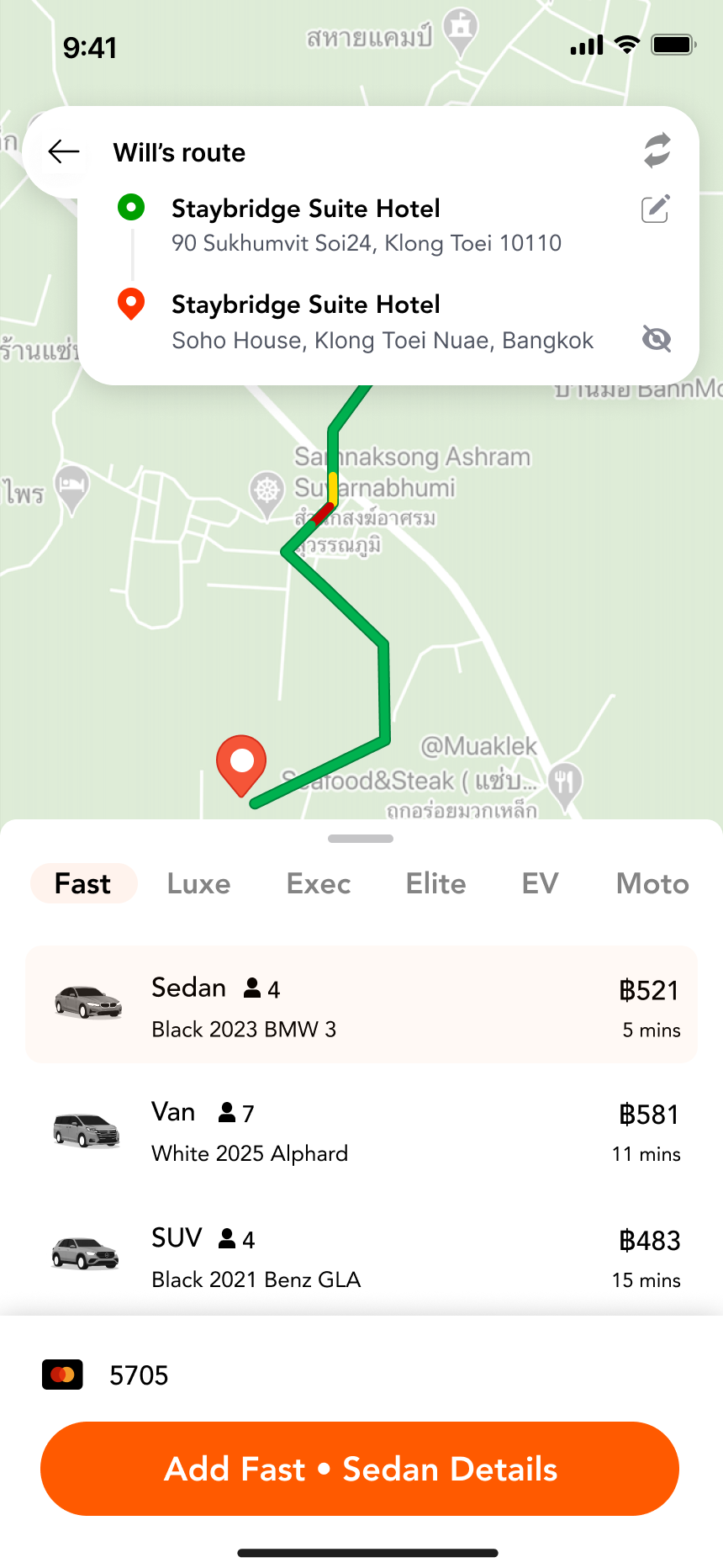
Step 3: Choose a Vehicle
Under Fast, you’ll see multiple vehicle options, such as:
- Sedan
- SUV
- Van
Each option shows:
- Seating capacity
- Vehicle type
- Estimated arrival time
- Price
Choose the option that fits your needs best.
Step 4: Booking
- Tap Add Fast • [Vehicle Type] Details.
- Review payment and ride details.
- Confirm your booking to request the ride.
Your request is immediately sent to nearby chauffeurs for the fastest possible match.
Benefits of Fast Ride
🚀 Faster Pickup
Fast Ride prioritizes chauffeurs who are closest to you, reducing wait times.
⚡ Fewer Steps
No need to browse multiple categories—Fast surfaces the best immediate options automatically.
💰 Transparent Pricing
See prices and arrival times upfront so you can decide quickly.
🕒 Ideal for Urgent Trips
Perfect when you’re running late, heading to meetings, airports, or last-minute plans.
Good to Know
- Fast Ride focuses on availability and speed, not a specific chauffeur
- Vehicle availability may vary based on location and time
- You can always switch to other categories (Luxe, Exec, Elite, EV, Moto) if you prefer
When Should You Use Fast Ride?
- You need a ride as soon as possible
- You want the quickest chauffeur match
- You don’t need a specific vehicle class or favorite chauffeur